
Navigating Coaching: Scorecards & Behavioral Metrics
The Coaching tab gives you access to the metrics and insights that help you understand team performance during calls. It now includes both AI Scorecards (available on Business/ Pro plan only) and Behavioral Metrics (available on all Team and Business plans).
To access Coaching Tab:
As of November 2025, the Metrics stats have moved from the Team Calls tab into the Coaching tab.
Open your Fathom account, and click the Coaching Tab.
You will be directed to either the Scorecards or Behavioral Metrics tab depending on your role.
1. Scorecards
Scorecards provide AI-generated performance insights based on your meetings (if your account has Scorecards enabled). Here you may see:
Overall meeting scores
Interaction quality indicators
AI-evaluated communication behaviors
Note: If your team does not have Scorecards access, this tab will display an Upgrade message on hover.
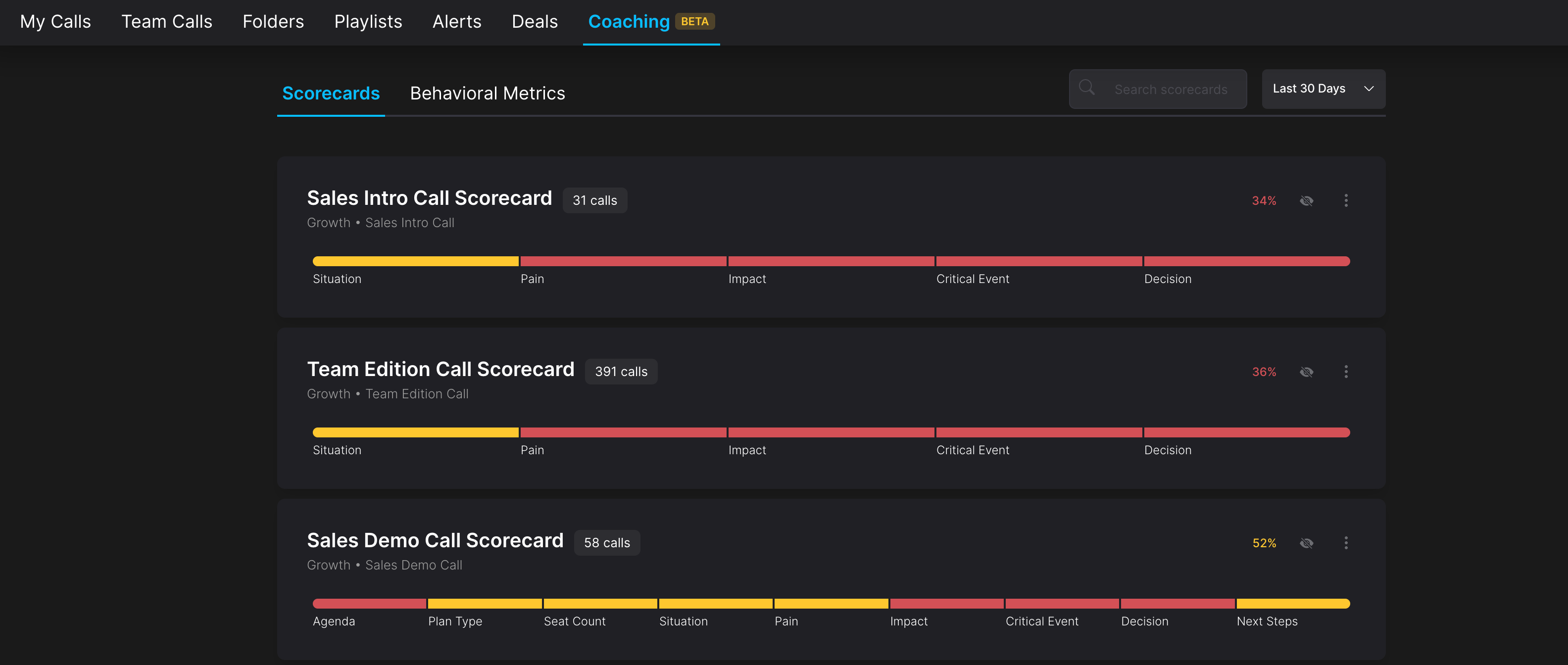
If you'd like to know more about AI Scorecards and how they work, read more here!
2. Behavioral Metrics
Behavioral Metrics displays average call performance data for team members, including:
Number of calls
Talk time distribution
Number of questions asked
Monologue length
We’ve also added column sorting to the Behavioral Metrics table. You can now click any of the column headers to sort the table based on that category.
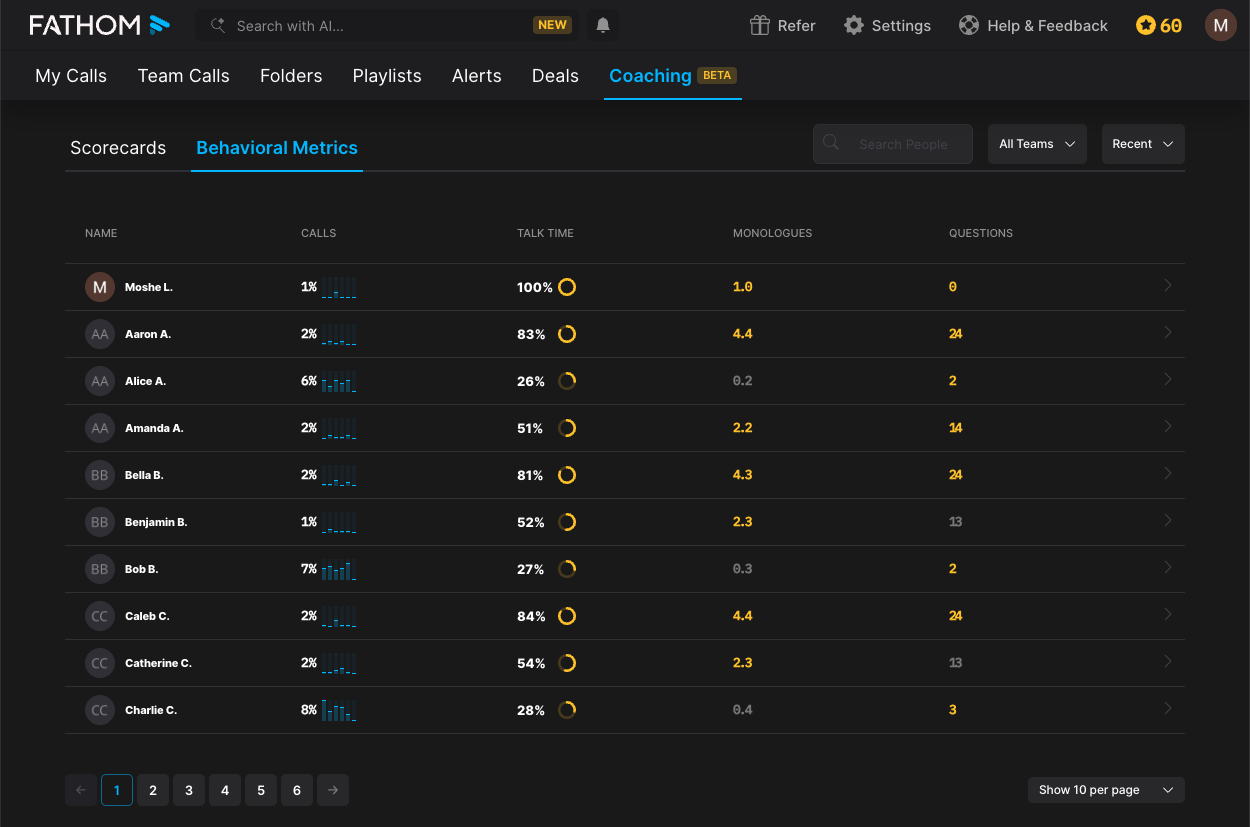
If you appear in the results, the initial view will automatically display your user at the top before any sorting is applied.
Who Sees What?
Your visibility in the Coaching tab depends on your role and permissions.
Team Admins with Scorecards Access
See both Scorecards and Behavioral Metrics tabs. Clicking the Coaching tab goes to Scorecards by default
Team Admins without Scorecards Access
See both tabs
Scorecards tab shows “Upgrade” on hover if not on Business/Pro plan.
Clicking the Coaching tab goes to Behavioral Metrics by default
Regular Team Members
Only see Behavioral Metrics
Clicking the Coaching tab goes to Behavioral Metrics by default
Users Not on a Team
Will not see the Coaching tab at all