
How to manually associate or remove a deal from a call
When a HubSpot or Salesforce contact attends a recorded meeting, Fathom automatically associates the call with eligible CRM deals linked to that contact, provided your team’s CRM integration is connected. (Note that a deal is only eligible to auto-sync if it’s still open and the call took place no more than 7 days before the deal’s creation.)
You can now manually add or remove deals from calls in both the web and desktop apps, allowing you to modify deal associations as needed.
In the web app
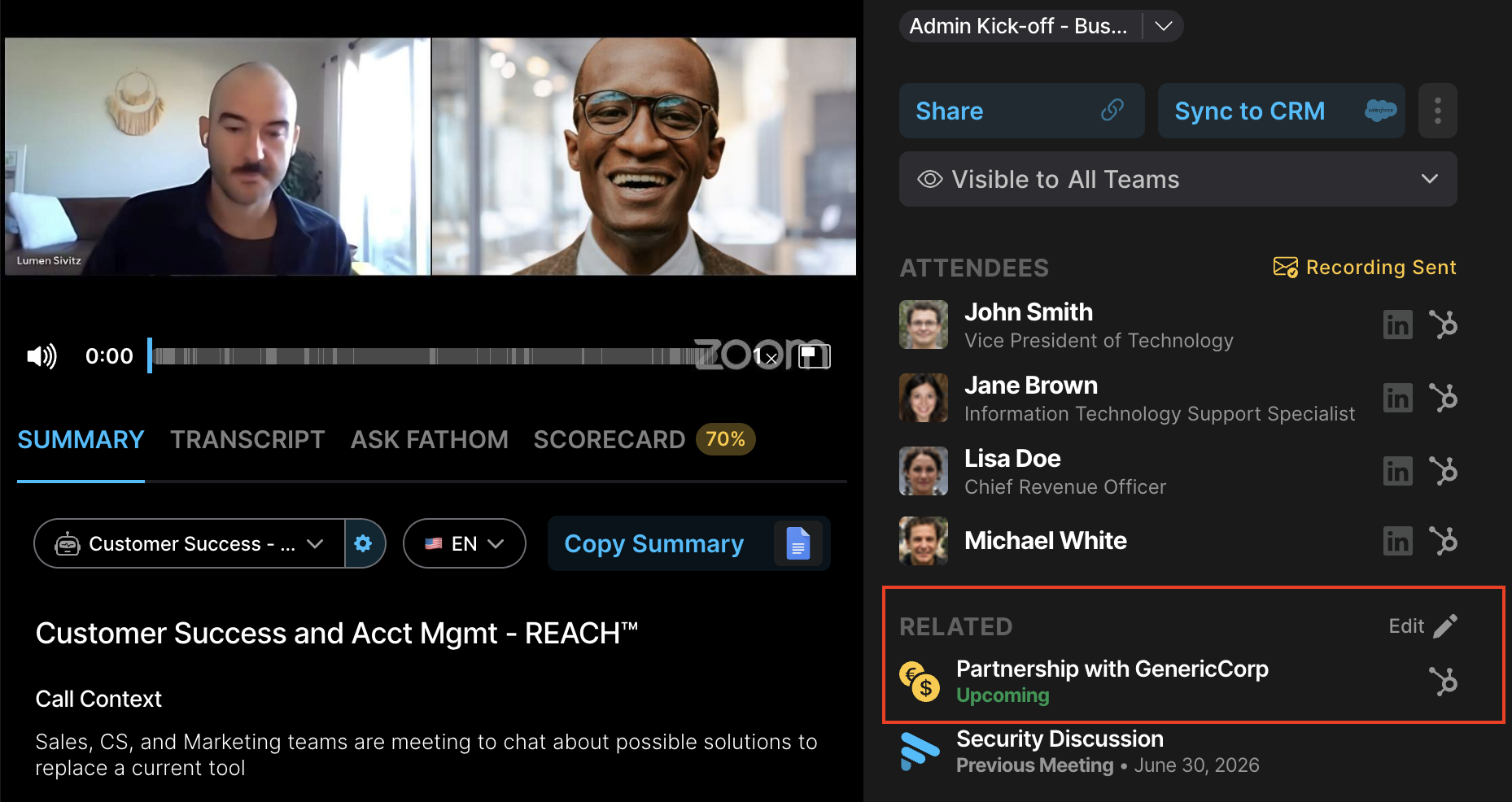
Click Edit under the “Related” section on the right to manually edit a deal association.
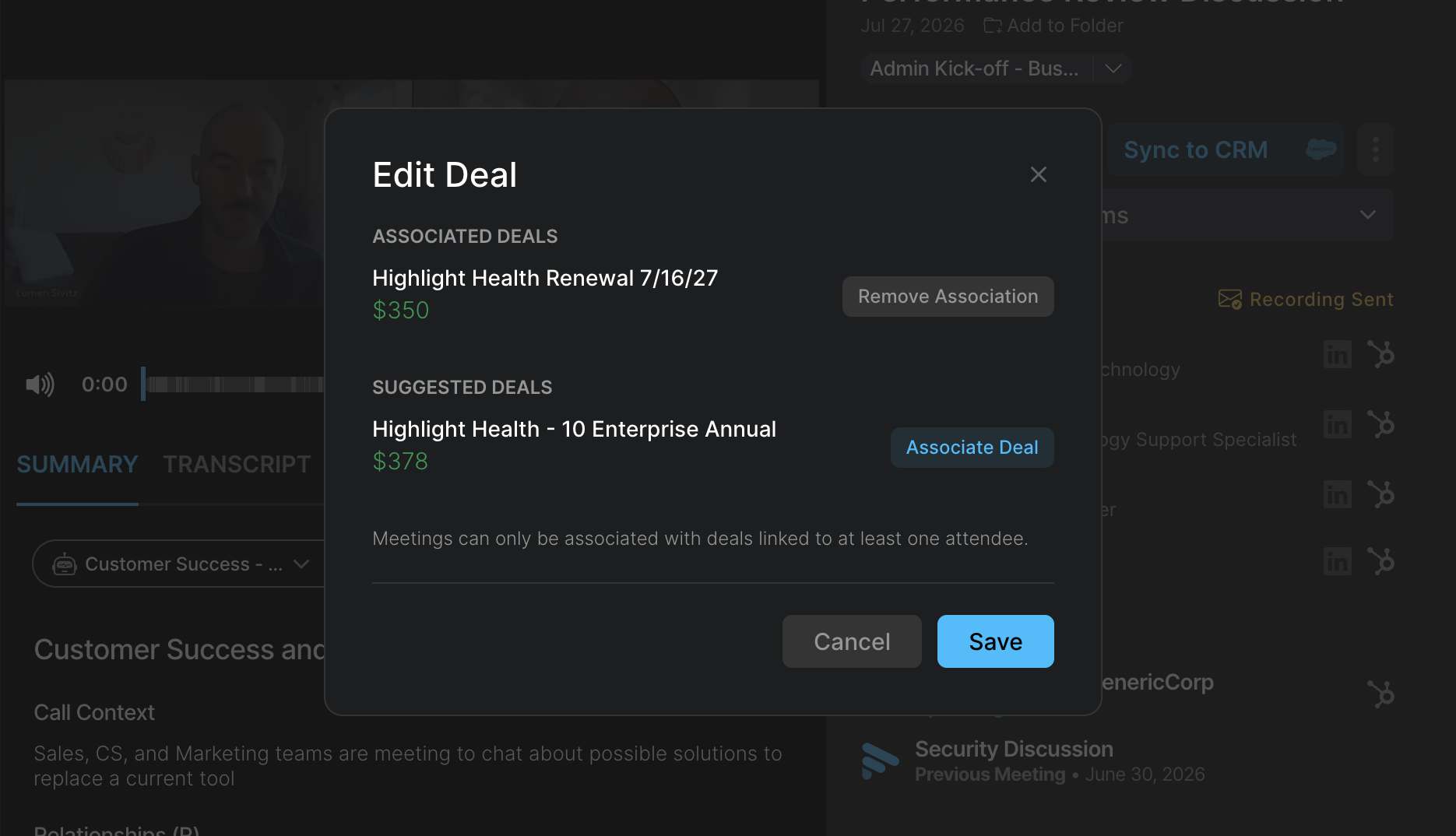
An “Edit Deal” pop up will appear, surfacing any CRM deals associated with the call attendee(s). You can also remove any deals Fathom automatically associated with the call.
In the desktop app
You can find the Associated Deals feature located at the top, underneath the meeting title.
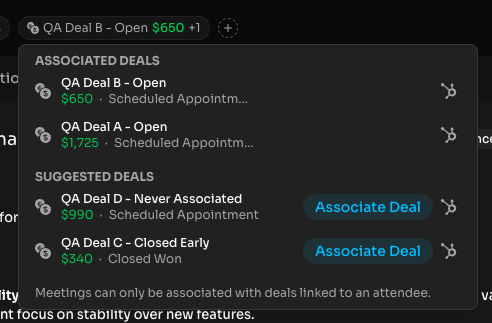
At this time, you can only associate a call with a deal connected to someone who attended that call. Fathom looks at the people recognized as attendees on the call, matches them to CRM contacts, and then surfaces deals associated with those contacts as suggestions.
Example
Taylor attended the call.
In HubSpot or Salesforce, Taylor is associated with:
Acme — New Business
Acme — Renewal
The call was automatically added to both deals, but only discussed the renewal.
You could:
Remove Acme — New Business
Keep Acme — Renewal
Re-add either deal later if needed
When added, the call activity is written to the CRM immediately. When removed, the corresponding CRM activity is removed.
What happens when you remove a deal from a call?
When a call is removed from a deal, Fathom automatically regenerates the Deal Summary and Key People summary using only the calls that remain associated. The removed call’s content drops out automatically; if no calls remain, the summary becomes empty.
Any Deal Summary fields mapped to HubSpot or Salesforce properties are also refreshed automatically. These updates happen in the background and may not appear immediately.
Limitations
If there is a deal in your CRM, but none of the recognized call attendees are contacts on that deal, you cannot manually associate the call with that deal through this feature (even if the meeting was actually about that deal).
You also can’t use this feature to:
Add a missing person to the call’s attendee list
Associate an impromptu call with a deal since it won’t have associated attendees
Select an entirely unrelated deal from the CRM
Note that if a contact is removed from a deal after the deal has been associated with a call, the association will persist until a user manually removes it.