
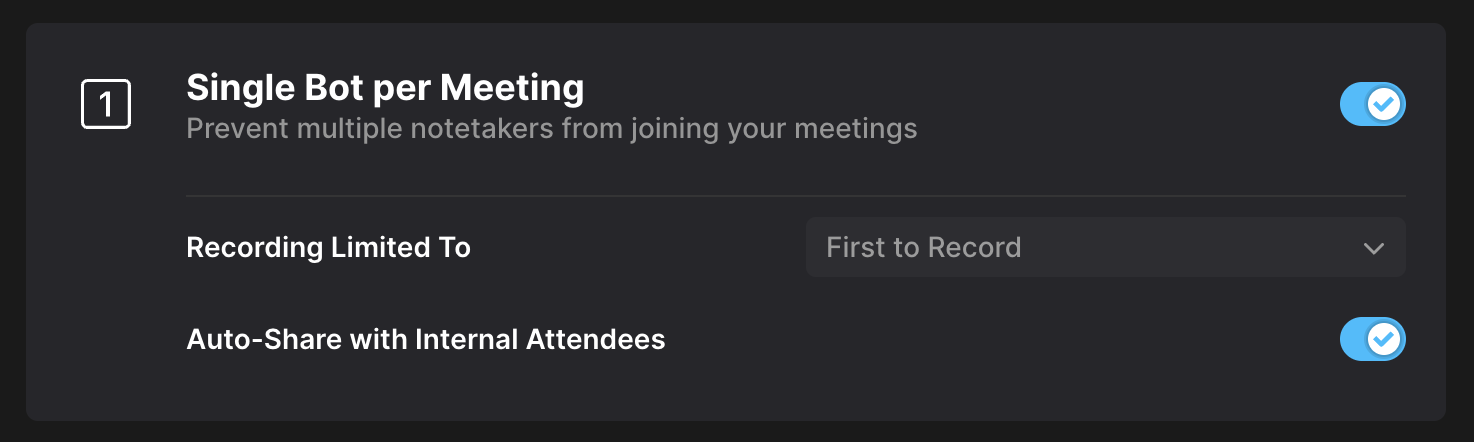
Auto-Share with Internal Attendees
The Auto-Share with Internal Attendees setting allows Fathom to consistently share meeting summaries and recordings with your teammates, regardless of your personal auto-share preferences.
🗒️ Note: This setting is only visible if you have enabled Single Bot per Meeting in your workspace settings.
💡 What happens when it's enabled?
When Auto-Share with Internal Attendees is turned on, Fathom:
Overrides your personal auto-share settings
Automatically shares the summary and recording email with teammates
Grants standard access permissions to any team attendees
Guest attendees still follow your auto-share preferences from the Settings page.
📩 Auto-Share Behavior by User Setting (When Auto-Share with Internal Attendees is Enabled)
User Setting | Guest Attendees | Teammate Attendees |
|---|---|---|
Auto-share: Nothing | No email, no access | Summary + Recording email, Standard access |
Auto-share: Summary Only | Summary email only | Summary + Recording email, Standard access |
Auto-share: Summary & Recording | Summary + Recording email, Limited access | Summary + Recording email, Standard access |
🔧 What happens when it's disabled?
When Auto-Share with Internal Attendees is disabled, your personal settings determine what each attendee receives:
Auto-share: Nothing → No email or access (for anyone)
Auto-share: Summary Only → Summary email only (no access to recording)
Auto-share: Summary & Recording:
Teammates get Summary + Recording with Standard access
Guests get Summary + Recording with Limited access
📌 Important: Regardless of this setting, anytime you manually share a meeting (e.g., by clicking the "Share" button), teammates will always be granted standard access permissions.
🔁 Other Sharing Scenarios
If a call is shared with an internal attendee, it will appear under Team Calls for that attendee. Sharing with an individual attendee takes precedence over how the call would otherwise appear in Team Calls.
If Team Visibility of External Meeting Recordings is set to User’s team only:
The only team an external call will be shared with is the host’s team.
If other internal attendees from other teams are on the call, the call will be shared with those individuals by email, and will appear under Team Calls for them.
⚠️ The Access Request still grants limited access to all requesters, including teammates.
✅ Requirements for Auto-Sharing
The meeting must have enough speaker participation to trigger automatic note generation.
The attendee must be part of your team plan account.